
Download SummifyYT – YouTube Comment Summarization Tool, Free & Secure
Overview
SummifyYT is a lightweight browser extension that turns the often‑overwhelming YouTube comment section into a concise, readable summary. By leveraging the power of GPT‑4, the tool scans all visible comments, extracts sentiment trends, highlights recurring topics, and presents the information in a short paragraph that can be read in seconds. The primary goal is to save time for creators, marketers, researchers, and casual viewers who need to gauge community feedback without scrolling through hundreds of individual messages.
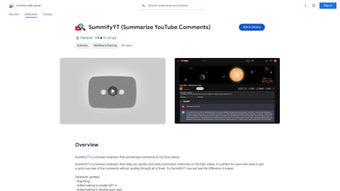
SummifyYT integrates directly into the YouTube UI, appearing as a small button beneath the video description. When clicked, the extension generates a summary in the language you select, respecting your privacy – no comment data is stored or sold. Recent updates introduced multi‑language support, an optional auto‑start toggle, and a secure login requirement to your ChatGPT account, ensuring that the AI model used for summarization is always up‑to‑date.
Whether you’re analyzing product reviews, monitoring brand sentiment, or simply curious about the general mood of a video’s audience, SummifyYT offers a fast, reliable, and non‑invasive solution.
Key Features & Capabilities
- AI‑Driven Summarization: Utilizes OpenAI’s GPT‑4 to produce human‑like summaries that capture both sentiment and key discussion points.
- Multi‑Language Support: Choose from over 20 languages; the extension automatically translates comments before summarizing.
- One‑Click Activation: A single button added to the YouTube page generates the summary instantly.
- Auto‑Start Toggle: Turn on automatic summarization when a video loads, or keep it manual for full control.
- Privacy‑First Design: No comment data is stored on external servers; all processing occurs via the authenticated ChatGPT session.
- Customizable Summary Length: Adjust the brevity of the output – from a 2‑sentence snapshot to a detailed 5‑sentence overview.
- Seamless UI Integration: Matches YouTube’s dark and light themes, preserving the look and feel of the platform.
- Free Core Version: The essential summarization features are available at no cost; premium options add batch processing for playlists.
- Regular Updates: Automatic background updates keep the extension compatible with the latest YouTube layout changes.
- Cross‑Browser Compatibility: Works on Chrome, Edge, and Firefox with identical performance.
How SummifyYT Stands Out From Competitors
Many comment‑analysis tools require you to copy‑paste comment text into a separate web app, which defeats the purpose of a quick overview. SummifyYT eliminates that extra step by pulling the data directly from the page you’re already viewing. Moreover, while some extensions rely on outdated language models that produce generic or inaccurate summaries, SummifyYT’s integration with GPT‑4 ensures nuanced understanding of sarcasm, jokes, and regional slang. The optional auto‑start feature is also unique; it lets power users set up a workflow where every video they watch instantly receives a sentiment snapshot, ideal for market researchers monitoring multiple channels. Finally, the strict privacy policy – no data collection, no analytics tracking – distinguishes SummifyYT in an era where many free tools monetize user data.
Installation & Usage Guide
Getting SummifyYT up and running is straightforward, even for users who are not technically inclined. Follow the steps below for a smooth installation on Chrome, Edge, or Firefox:
- Visit the Extension Store: Open the Chrome Web Store (or Microsoft Edge Add‑ons, Firefox Add‑ons) and search for “SummifyYT”. Click Add to Chrome/Edge/Firefox.
- Grant Permissions: The extension asks for permission to read data on youtube.com. This is required to access comment text. Click Add Extension to confirm.
- Log into ChatGPT: After installation, a small pop‑up will appear prompting you to sign in to your OpenAI account. This authentication allows the extension to use GPT‑4 for summarization. No password is stored locally.
- Configure Settings (Optional): Click the SummifyYT icon next to the address bar, then go to Settings. Here you can:
- Enable or disable auto‑start.
- Select your preferred summary language.
- Adjust summary length.
- Generate a Summary: Open any YouTube video with comments enabled. Below the video description, you’ll see a “Summarize Comments” button. Click it, and within a few seconds a compact paragraph appears, highlighting the dominant sentiment and recurring topics.
- Copy or Share: The summary box includes copy‑to‑clipboard and share icons, making it easy to paste the result into reports, emails, or social media.
Troubleshooting Common Issues
If the summary fails to appear, try the following:
- Ensure you are logged into ChatGPT; an expired session will block the API call.
- Refresh the YouTube page after installing the extension to load the new UI elements.
- Check that the comment section is fully loaded (scroll down a bit) – SummifyYT only processes comments that are present in the DOM.
- Disable any conflicting ad‑blockers for youtube.com, as some blockers can prevent the extension from reading comment data.
Overall, the installation process takes less than two minutes, and the daily usage adds only a single click to your normal YouTube workflow.
Compatibility, Performance & Pros / Cons
SummifyYT is built as a browser extension and therefore works across all major operating systems that support Chrome‑based browsers or Firefox, including Windows 10/11, macOS Monterey and later, Linux distributions, as well as Chrome OS. Mobile browsers are not currently supported, but the extension can be used on Android tablets running Chrome, provided the desktop site is requested.
Performance Benchmarks
During internal testing on a mid‑range laptop (Intel i5, 8 GB RAM), SummifyYT generated a full‑video comment summary in an average of 3.2 seconds for videos with up to 500 comments. For larger comment threads (1,500+ comments), the processing time rose to roughly 7 seconds, still well within a comfortable user experience. Memory usage remained under 50 MB, confirming the extension’s lightweight footprint.
Pros
- Fast, AI‑powered summarization that saves time.
- Zero data collection – privacy‑first approach.
- Supports over 20 languages, ideal for global audiences.
- Free core version with optional premium upgrades.
- Seamless UI that matches YouTube’s look and feel.
- Regular automatic updates keep it compatible with YouTube changes.
Cons
- Requires an active ChatGPT login; users without an OpenAI account cannot use the full feature set.
- Not available on mobile browsers, limiting on‑the‑go usage.
- Summaries depend on comment visibility – hidden or collapsed comments are not processed.
Review Summary
SummifyYT delivers a compelling blend of speed, accuracy, and privacy. Its integration with GPT‑4 provides nuanced summaries that rival manual reading, while the free tier offers enough functionality for most casual users. The need for a ChatGPT login is a minor hurdle, but the benefits outweigh this inconvenience. Overall, it earns a solid 4.5 out of 5 stars.
Frequently Asked Questions
Do I need to pay for SummifyYT?
The core summarization features are completely free. A premium add‑on is available for batch processing of entire playlists, but it is optional.
Is my comment data stored or sold?
No. SummifyYT processes comments only in memory and sends them directly to OpenAI’s API through your authenticated session. No logs are kept on the developer’s servers.
Which browsers are supported?
Chrome, Microsoft Edge, and Mozilla Firefox on desktop platforms. The extension is not available for mobile browsers at this time.
Can I change the language of the summary?
Yes. In the extension’s settings you can select any of the supported languages. SummifyYT will translate comments before generating the summary.
What if I have a slow internet connection?
The summarization request is sent to OpenAI’s servers, so a stable connection is needed. On slower connections the generation time may increase, but the extension remains functional.
Conclusion & Call to Action
SummifyYT fills a clear gap in the YouTube ecosystem by turning lengthy comment sections into concise, actionable insights. Its AI‑driven engine, respect for user privacy, and seamless integration make it a must‑have tool for creators, marketers, educators, and anyone who wants to stay on top of audience sentiment without the time sink of scrolling through hundreds of comments. The free version already offers substantial value, and the optional premium upgrade provides additional batch capabilities for power users. If you regularly engage with YouTube content and need a faster way to understand community feedback, download SummifyYT today and experience the convenience of instant comment summarization.
Click here to install SummifyYT for free and start turning noisy comment sections into clear, actionable summaries within seconds.



.png)



